Sey
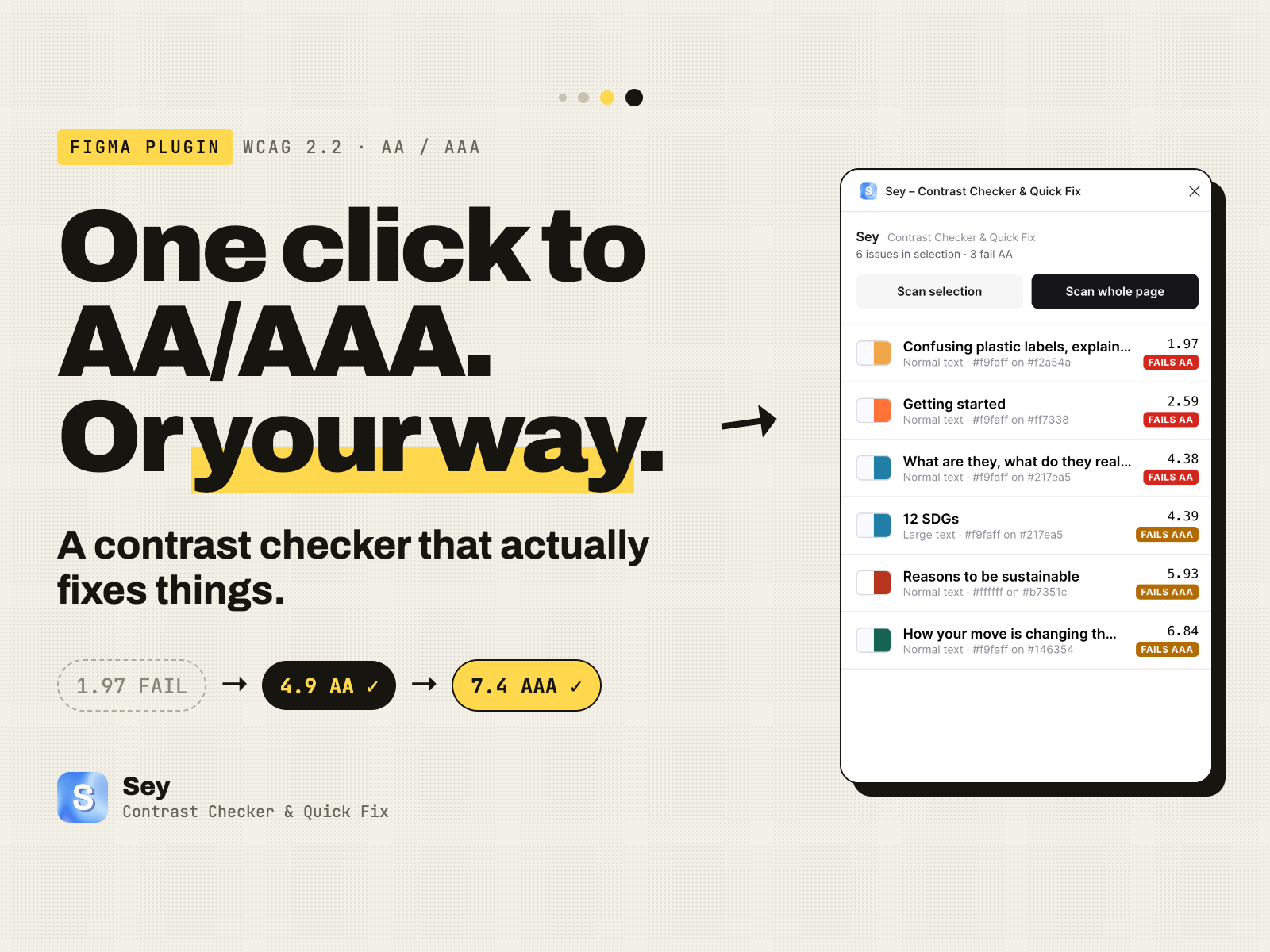
A contrast checker that fixes, not just flags — a Figma plugin that scans a page for WCAG AA/AAA failures, ranks them worst-first, and resolves each one without leaving the panel.
- Role
- Design + build (solo)
- For
- Figma Community
- When
- 2026
Built with — Figma Plugin API · OKLCH colour space · Claude
Overview
Sey scans a Figma page for WCAG AA/AAA contrast failures, ranks them worst-first, and resolves each one without leaving the panel — snap to a passing colour, adjust it by hand, or correct a misread background.
Contrast checkers exist to catch accessibility issues before a design ships. Most of the ones I'd used did that part, then stopped there — the tool audited, and the fixing was left entirely to the designer.
Sey was built around a different premise: checking and fixing in the same panel, so a fix and its result are never more than a moment apart. It's designed for the moment you find out something's broken and want it resolved before handoff, not just catalogued.
1 day
Concept to shipped
Solo
Design + build
Live
On Figma Community
The problem
Looking across the contrast checkers already available, three patterns showed up consistently.
Flag, then abandon
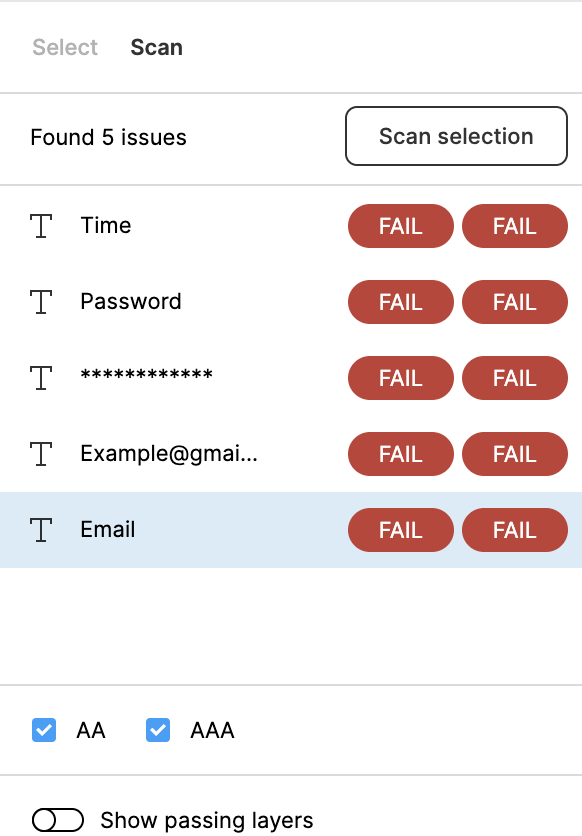
Tools return a list of failing layers and stop there. Finding a colour that passes means leaving the plugin, testing a value elsewhere, and coming back to check.
The check and the fix live apart
Change a colour, leave the checker, re-scan the page, then locate the layer again to see whether the new ratio passes. The two halves of the task sit in different places.
All-or-nothing scanning
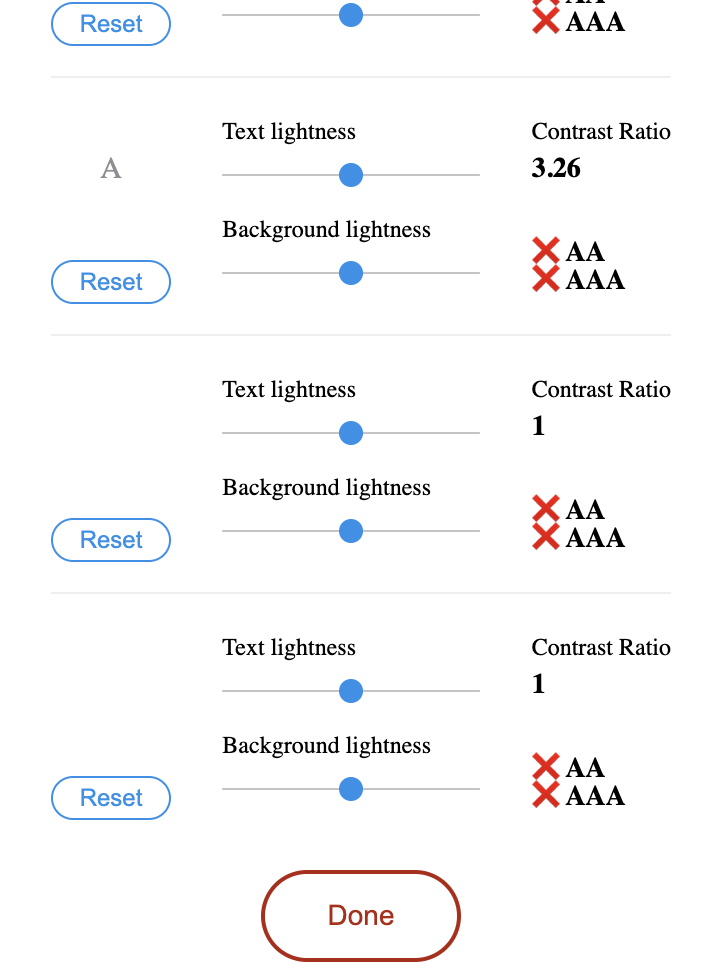
Some tools check a single text layer at a time; others scan an entire page and return every result with equal weight, with no indication of which failures are worst or where to start.
Process & key decisions
Four decisions shaped how Sey works, each made deliberately rather than by default.
Building with an AI agent
Sey was designed and shipped as a working, published plugin in one day, pairing with an AI coding agent that handled implementation while the product and design decisions stayed with me.
Most of the work that mattered wasn't the code itself. It was deciding what to build, noticing where a simpler approach would fail in practice, and judging when a version was ready to ship.
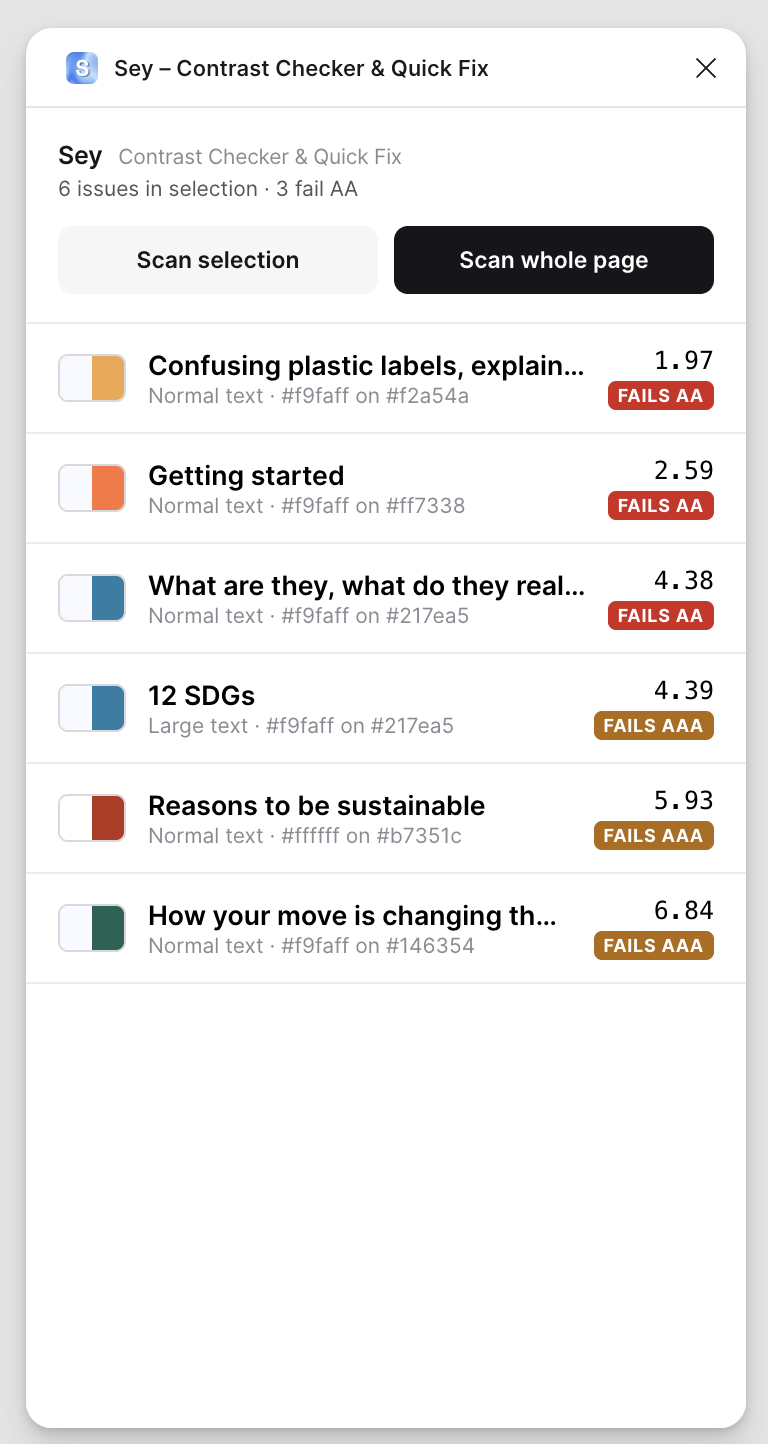
Rank worst-first
Results are ordered by how badly each one fails contrast, with AA/AAA badges attached, rather than listed in the order they're found. Opening the panel gives an immediate sense of how many issues exist and which to address first — useful when there's only time to fix the worst offenders before a handoff.
Three ways to fix
Each method can be applied to either the failing text or its background — whichever is the simpler layer to bring into range. All three sit inside the same panel, so no colour is tried anywhere else: the updated ratio is visible the moment something changes.
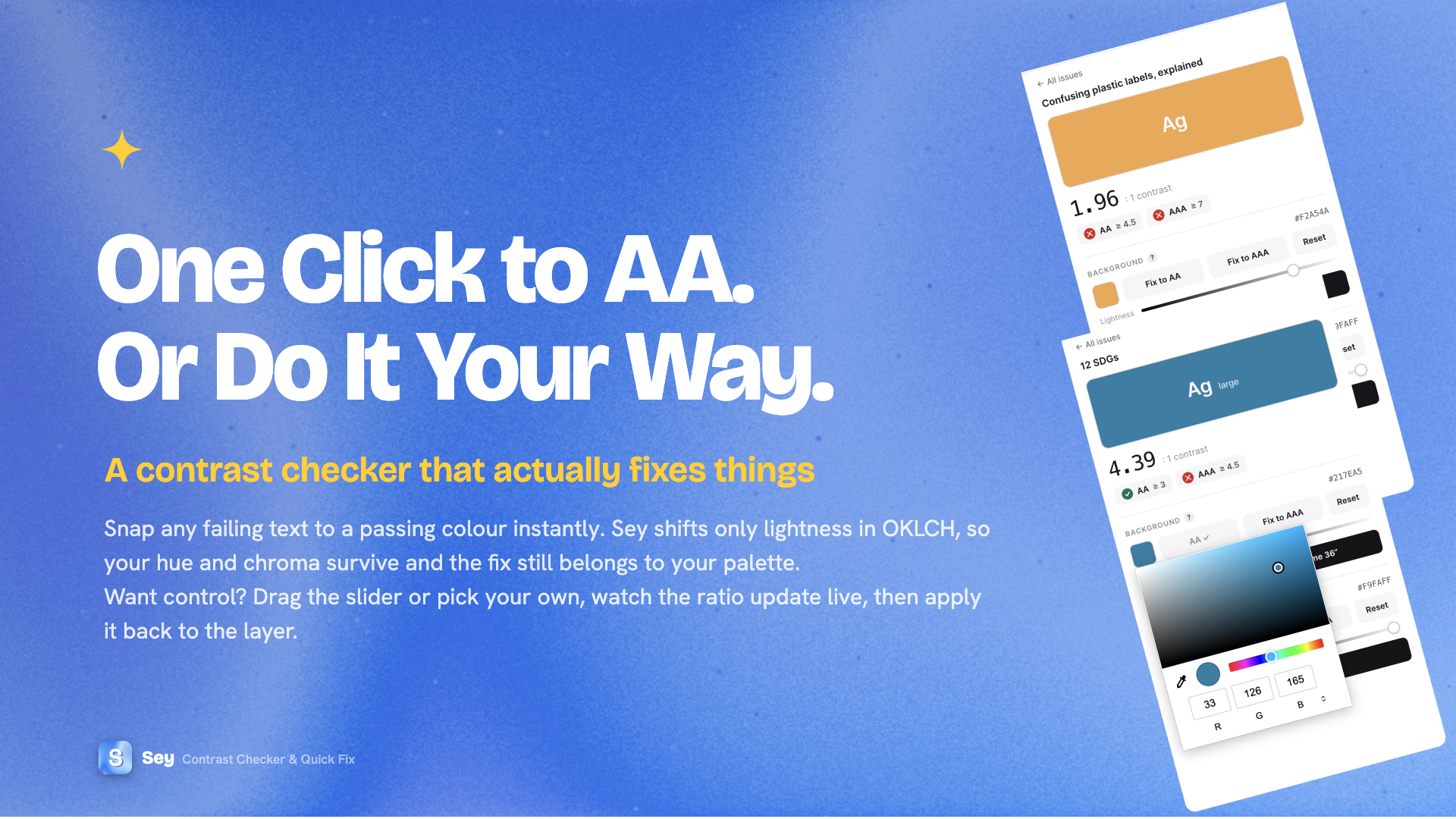
- One-click AA/AAA — snaps the chosen colour to a passing value, shifting only lightness in OKLCH so the original hue and chroma are kept, rather than defaulting to any colour that happens to pass.
- Lightness slider — manual adjustment, with the ratio updating as it moves.
- Colour picker — a custom colour, previewed against a real text-on-background swatch.
Letting the user correct the tool
Detecting the colour behind a piece of text is the harder part of the problem. Figma doesn't expose what sits underneath a given pixel directly, and inference struggles with layered stacks, images and gradients — often showing up as a 1.00 : 1 reading.
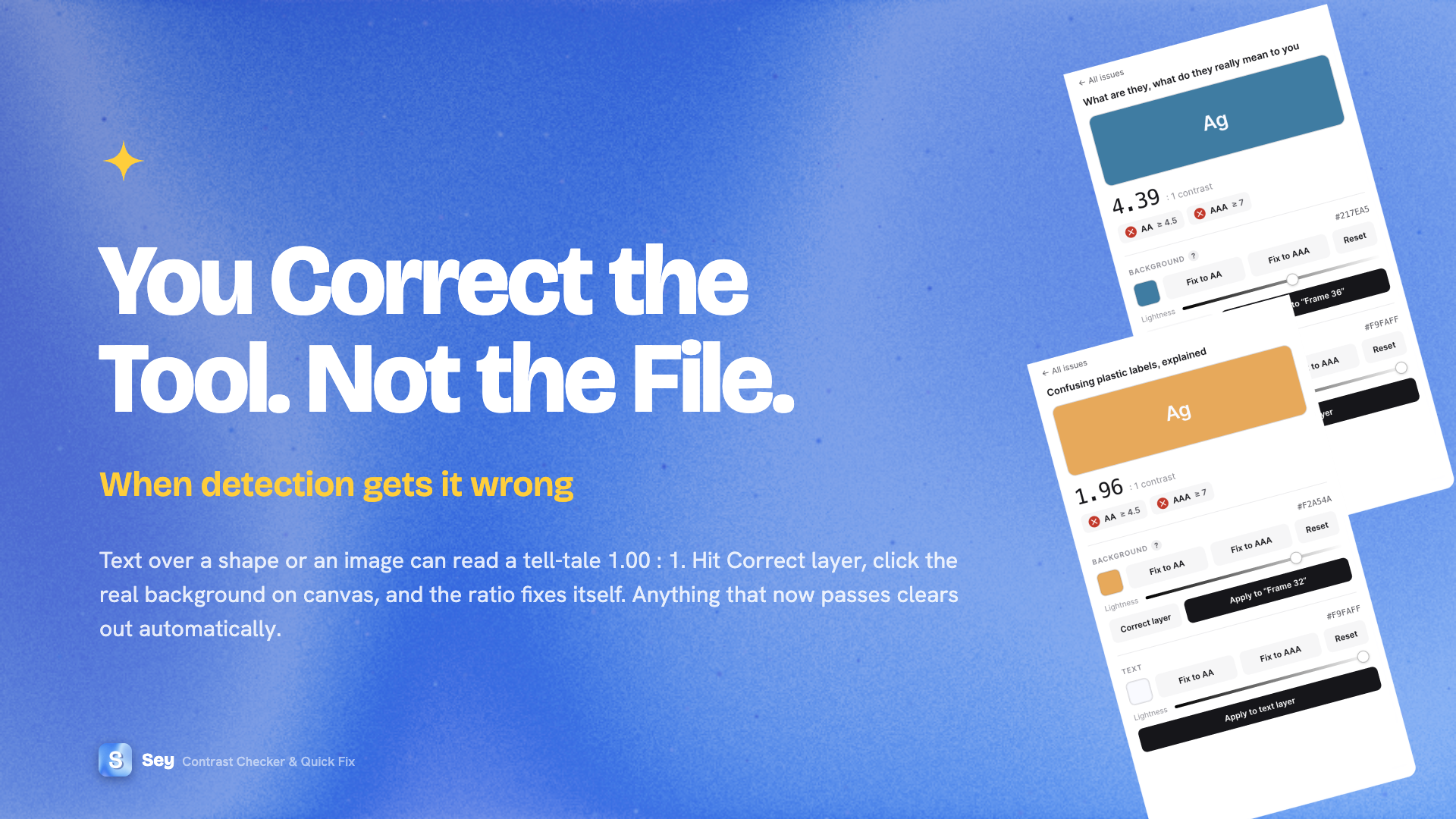
The first version of background detection walked up the parent layer chain reading fill colours. It was straightforward to build, but unable to account for sibling shapes or images sitting on top.
Compared against a pixel-sampling approach: pixel sampling reads images and gradients more accurately but is slower and can't identify which layer the background belongs to; the parent-chain method is faster and keeps that information, but gives up on complex fills.
The decision that followed was about the product rather than the algorithm: ship the faster method first, covering the common case of text on a solid fill, and let Correct layer handle the rest for now. The same thinking carried through smaller details too — a tooltip scoped to trigger only on its “?” rather than blocking the button behind it, and Correct layer placed before Apply to match the order a fix is actually made in.
Shipped
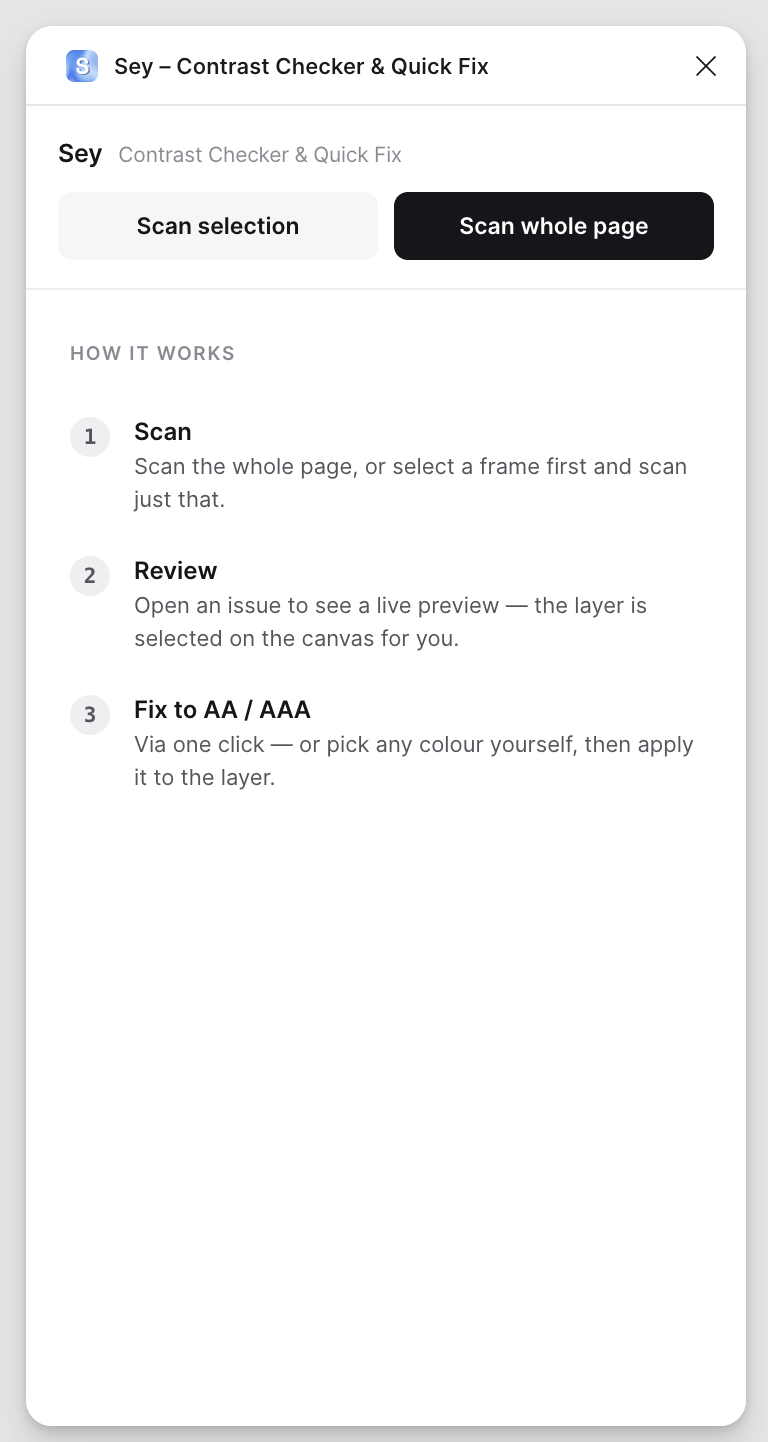
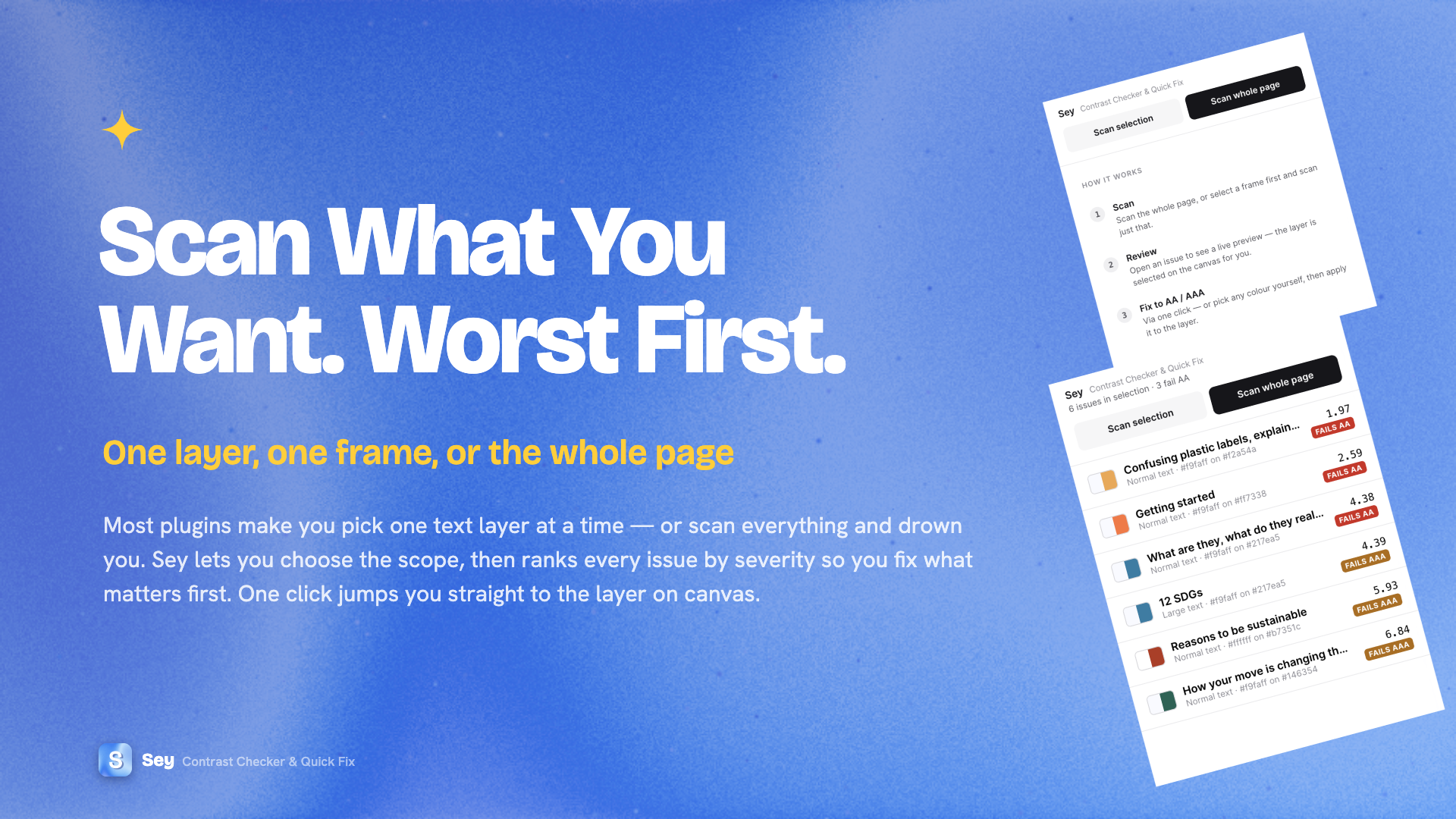
Sey is live on Figma Community. The first version covers the core loop end to end: choose a scope — one layer, a frame, or the whole page — see every failure ranked worst-first, and resolve each one, whether by one click, by hand, or by correcting the background, without leaving the panel.
Reflection & what's next
The current version is a first release. The clearest next steps also point at where the tool gets most interesting:
- Bind to Figma variables & styles — where a failing colour comes from a colour variable, resolve the variable itself rather than each instance individually, extending the tool from single fixes toward design-system-wide accessibility.
- Smarter background detection — move from the current parent-chain method to geometric inference, using a text layer's bounding box and draw order to find the solid layer beneath it automatically, reducing how often Correct layer is needed.
- Batch fixes — snap every instance of a repeated failing colour, a shared grey token for example, to a passing value in one action rather than one at a time.
- Ignore / exempt — mark an issue as intentional, such as disabled states or decorative text (both exempted under WCAG), so it stops resurfacing.